
See what your operation
looks like on Orbalux
A guided look at the screens our clients work with every day — helideck limits, metocean conditions, structural health and mooring integrity. Open any snapshot below to explore the live interface.
Jotun HMS Dashboard
● Auto-refresh 60 s
UTC 06:50:00
HMS 9.2NOHelideck Status
GOHELIDECK
1
AIRCRAFT
A
VESSEL
1
HMS Trends
20 minPitch — limit ±3.0°


Sig. heave rate — limit 1.30 m/s


DASHBOARD SNAPSHOTS
Purpose-built views for every discipline
Each Orbalux deployment is configured to the asset. These are the dashboard families we ship most often — click any snapshot to open the full interactive view.
HELIDECK MONITORING
HMS Dashboard
PITCH
1.4°
ROLL
2.1°
INCL.
2.6°
SHR
1.21


Pitch, roll, inclination and significant heave rate against certified limits — with helideck status, wind sensors and day/night category on one screen.
METOCEAN & WEATHER
MMWeather Dashboard

WIND
24.1 kt
DIR
250°
Hs
3.2 m
VIS
9.6 km

Wind, wave, current and air data at the sensor, plus forecast overlays and squall alerting — the operational picture for marine ops, lifts and crew transfers.
Latest Data
Every current reading across every station, with sensor health and threshold state.
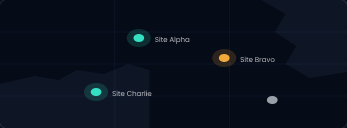
Maps
Station positions with live status colouring and metocean layers on a real basemap.
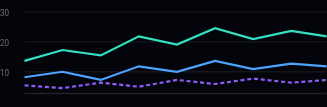
Graphs
Time-series analysis with multi-station overlay, custom ranges and exports.
PRESENTATION MODES
Three themes, one unified dataset
The same panel rendered for a lit office, a darkened control room and a night-watch monitoring station. Switchable per user, per screen.
Brent-A · Motion
PITCH
1.4°
ROLL
2.1°


Dark
Default · control rooms
Brent-A · Motion
PITCH
1.4°
ROLL
2.1°


Ultra-dark
Night watch · max contrast
Brent-A · Motion
PITCH
1.4°
ROLL
2.1°


Light
Offices · print & reports
CAPABILITIES
One platform from sensor to decision
Orbalux is the cloud layer over WISE Group's monitoring hardware and DADAS acquisition engine. It takes raw instrument output and turns it into something a duty engineer, a marine coordinator or a class surveyor can act on.
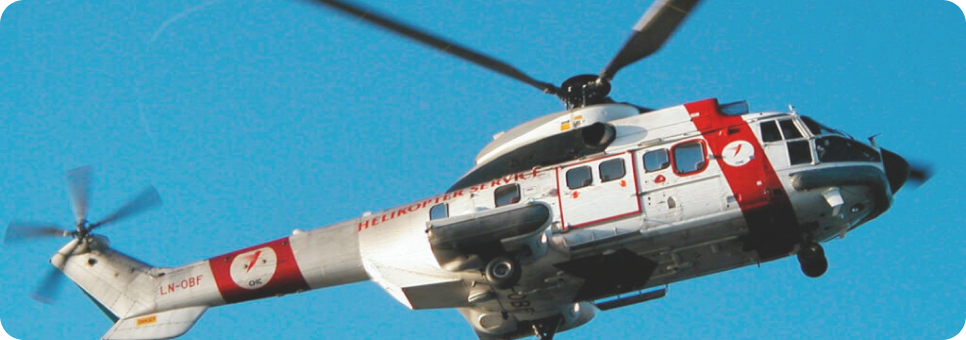
ACQUISITION
Direct ingest from DADAS, AIM motion sensors, ADCPs, weather stations and third-party instruments. 1 Hz to 10-minute averaging, configured per channel.
LIVE MONITORING
Role-scoped dashboards with limit lines, category status and audible/visual alerting. Built for control rooms and bridge screens alike.
ANALYSIS
Historical trending, cross-station comparison, event replay and fatigue accumulation over the full retained record.
REPORTING
Scheduled CSV, Excel and PDF deliveries, class-ready summaries and a documented REST API for your own pipelines.
DATA & MEASUREMENTS
What Orbalux measures
A representative channel list. Actual configuration follows the asset, the class requirement and the instruments installed.
Meteorological
Wind speed & direction
Gust, 2-min & 10-min mean
Air temperature
Relative humidity
Dew point
Barometric QNH / QFE
Visibility
Cloud base heights
Oceanographic
Significant wave height
Maximum wave height
Peak & mean period
Wave direction & spread
Current profile (ADCP)
Surface current
Sea temperature
Tide & water level
Motion & structural
Pitch, roll & yaw
Inclination
Heave amplitude & rate
Significant heave rate (SHR)
6DOF vessel motion
Mooring line tension
Excursion & watch circle
Strain & fatigue counters
Status & derived
Helideck category
Aircraft & vessel category
Day/night state
Limit breach flags
Sensor health & uptime
Telemetry latency
Squall warning state
Operational go/no-go
GUIDED TOUR
Four steps from install to insight
01
Instruments installed
WISE engineers specify, install and commission the sensor package offshore, wired into a DADAS acquisition cabinet.
02
Data reaches the cloud
Readings stream over your existing link into Orbalux, buffered locally so nothing is lost during an outage.
03
Dashboards configured
We build the views your roles need, set the limit lines to your certification, and scope access per user group.
04
Decisions made
Crews check conditions before a lift, engineers trend fatigue, and reports go to class on schedule — automatically.
Want it configured for your asset? Contact us.
Send us the instrument list and the class requirement. We'll come back with a dashboard set and a delivery plan.